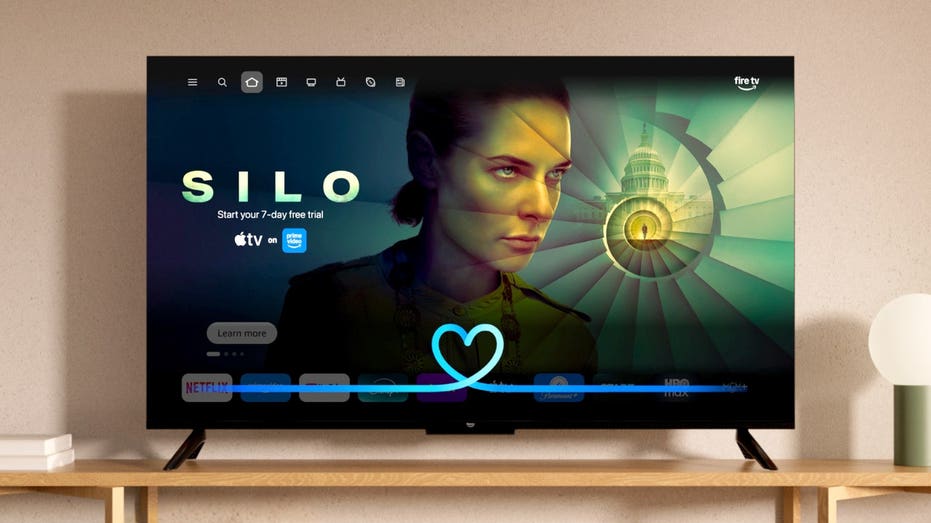
Amazon makes Alexa+ free on compatible Fire TVs
Amazon makes Alexa+ free on compatible Fire TVs
AI is coming to your TV, and if you own a compatible Fire TV, Amazon may add it without you doing anything. Amazon is rolling out Alexa+ to compatible Fire TV devices across the U.S. at no additional cost. You do not need an Amazon Prime membership for the Fire TV experience. There is no app to download or subscription to activate either. Eligible devices get upgraded automatically.
That means millions of televisions and are gaining a more conversational AI assistant. But what you probably really want to know is: What can you actually say to it?
There is also a privacy question worth answering. Some Fire TV devices have hands-free microphones while others rely on the microphone button on the remote. Alexa also stores information about your interactions depending on your settings. So, here is how to try Alexa+ on your Fire TV and how to check the controls behind it.
Missed CyberGuy LIVE? Watch the Protect Your Money replay
Our free CyberGuy LIVE class, Protect Your Money From Todays Biggest Threats, has ended, but you can still watch the full replay and download our financial protection checklist. Kurt "CyberGuy" Knutsson walks you through five simple ways to help defend yourself against AI scams, fraud, identity theft and financial hacks. Youll learn how to set up bank alerts, strengthen your account logins, protect your phone number, freeze your credit and help secure your retirement savings against unauthorized transfers. No technical experience is needed.
Get the free replay and checklist now at CyberGuyLive.com
ALEXA+ LETS YOU ORDER FOOD LIKE A REAL CONVERSATION
The old Alexa worked best when you gave it a fairly direct command. Alexa+ can understand more natural conversations and follow-up questions.
For example, you can describe the kind of movie you want rather than knowing its title. Then you can narrow the results without repeating your entire request.
Amazon says Alexa+ users are having nearly twice as many conversations on Fire TV compared with the original Alexa. The company also says viewers choose Alexa's top movie recommendation more than 40% more often than they did previously.
The assistant reaches beyond entertainment too. It can interact with compatible smart home devices and display supported camera feeds. You can also ask general questions while you
How you talk to Alexa+ depends on the Fire TV hardware you have.
If you use a Fire TV Stick: Press and hold the Alexa or microphone button on your Alexa Voice Remote. Say what you want, then release the button. Amazon says current Fire TV Sticks use the remote for voice control. Hands-free control requires a linked Echo device.
If you use a Fire TV Cube: You can press the microphone button on the remote or speak to Alexa from across the room. The current Fire TV Cube supports native hands-free Alexa through its built-in microphone array.
If Alexa is built into your smart TV: Capabilities vary by model. Some supported televisions have hands-free Alexa while others rely on the voice remote or a linked Echo. Amazon's device specifications identify which models support far-field voice control.
Once Alexa+ appears on your Fire TV, there is no special Alexa+ mode you need to open. Just start talking to it.
The real fun starts when you stop treating Alexa like a search box. Try conversational requests and follow up







 37.4c
37.4c